Personal protection strategies are coordinated habits, controls, and response skills that reduce risks to a person’s safety, privacy, property, and information. The strongest approach uses layered protection: awareness and communication first, followed by digital safeguards, physical barriers, detection, trained response, and recovery planning.
Key Facts
Defense in depth works because several independent controls must fail before one risk becomes a serious incident.
A password manager and multifactor authentication usually provide more risk reduction per dollar than a VPN or surveillance gadget.
Home security should delay unauthorized entry while also preserving safe exits, fire safety, and privacy.
Self-defense training should prioritize awareness, verbal boundary-setting, escape, and emergency communication over winning a fight.
Typical starter costs range from $0 to $250 for digital and awareness improvements, excluding optional monitoring and training.
Local law controls whether a person may carry, use, or transport pepper spray, alarms, knives, or other defensive equipment.
What Are Personal Protection Strategies?
Personal protection strategies are a risk-management system for reducing exposure, discouraging harmful behavior, detecting warning signs, delaying access, responding safely, and recovering after an incident. The protected assets may include a person, household, vehicle, identity, financial account, workplace, medical information, or daily routine.
Personal safety is broader than carrying a defensive device. A useful plan connects four domains:
- Personal safety: awareness, boundaries, communication, mobility, first aid, and escape decisions.
- Digital privacy: passwords, multifactor authentication, device updates, account recovery, and data minimization.
- Home and property security: locks, lighting, alarms, cameras, fire protection, package handling, and visitor procedures.
- Continuity and recovery: emergency contacts, backups, documentation, transportation, medical support, and post-incident reporting.
Security consultant and author Bruce Schneier wrote, “Security is a process, not a product,” in Beyond Fear (2003). The principle matters because a strong lock cannot compensate for an exposed account, a public travel routine, or a household that never practices its emergency plan.
What Personal Protection Is Not
Personal protection is not a guarantee of safety, a substitute for emergency services, or permission to confront suspicious people. Cameras record events but may not prevent them; alarms create signals but cannot guarantee a rapid response; martial arts can improve movement and confidence but cannot eliminate environmental or physical disadvantages.
The most reliable objective is not to overpower a threat. It is to reduce exposure, create time and distance, communicate clearly, reach safety, and obtain help.
How Does the Layered Model Work?
A layered personal protection model places independent friction points between a potential threat and a valuable asset. The familiar security sequence is deter, detect, deny, delay, and defend; practical civilian planning should add communicate and recover because response coordination and post-incident action determine whether a minor event becomes a lasting loss.
The layers should overlap without creating dangerous trade-offs. For example, a locked door may delay entry, but blocked exits can increase fire risk. A camera can detect activity, but excessive recording can expose residents, visitors, or children. A VPN can encrypt traffic between a device and its provider, but it does not make phishing, malware, or an unsafe website harmless.
The Civilian OODA Loop
The OODA loop means observe, orient, decide, and act. A civilian uses it when noticing a person repeatedly following a route, a login alert from an unfamiliar device, smoke near an exit, or a vehicle behaving unpredictably.
- Observe: Identify facts without immediately assigning motives.
- Orient: Compare those facts with the location, time, normal behavior, and available exits.
- Decide: Select the lowest-risk useful action, such as leaving, calling someone, locking an account, or requesting assistance.
- Act: Move, communicate, document, or obtain professional help.
- Reassess: Check whether the situation changed and update the decision.
Attention is finite. Phones, headphones, fatigue, alcohol, darkness, and unfamiliar environments reduce observation quality, so transitional spaces such as parking lots, elevators, hotel corridors, and transit platforms deserve deliberate attention.
| Layer | Main objective | Practical control | Failure if omitted |
|---|---|---|---|
| Awareness | Notice change early | Head-up walking, exit awareness, routine variation | Late recognition |
| Communication | Bring help quickly | Emergency contacts, code word, location sharing | Delayed assistance |
| Digital privacy | Reduce remote access | Password manager, MFA, updates | Account takeover |
| Physical security | Control access | Deadbolt, strike plate, window locks | Easy entry |
| Detection | Produce an alert | Alarm, sensor, trusted neighbor | Silent intrusion |
| Response and recovery | Limit consequences | Escape plan, backup, incident record | Confusion and prolonged loss |
How Do You Build a Personal Protection Plan?
Build a personal protection plan in four stages over approximately 30 days. Spend the first week identifying realistic threats and securing accounts, the next two weeks improving the home or workplace environment, and the final phase practicing communication, evacuation, and safe response.
Success depends more on consistency than equipment. A $20 password manager subscription used correctly can outperform an expensive camera system that nobody updates or checks.
Step 1: Audit Your Risks
List assets, threats, vulnerabilities, existing controls, and consequences. Score each risk from 1 to 5 for likelihood and 1 to 5 for impact, then address the highest combined scores first.
Consider:
- Physical assault, vehicle collision, fire, medical emergency, and severe weather.
- Burglary, package theft, unauthorized visitors, and vehicle theft.
- Phishing, password reuse, identity theft, stalking, doxxing, and device loss.
- Workplace exposure, public-facing duties, domestic abuse, or a known person creating a threat.
- Accessibility needs, medication storage, pets, children, older adults, and transportation limits.
A generic crime map cannot replace personal context. A person leaving work at midnight, a public official receiving threats, and a renter in a shared building have different exposure patterns.
Step 2: Secure Accounts and Devices
Start with the email account that controls password resets, followed by financial, health, cloud storage, and social media accounts. Use a reputable password manager to create unique passwords, activate multifactor authentication, update devices, and store recovery codes offline in a secure location.
Prefer an authenticator app or hardware security key when a service supports them. CISA identifies phishing-resistant multifactor authentication, including FIDO-based security keys, as the strongest widely available form of MFA because the authentication method is designed to resist fraudulent login pages.
The 2024 Verizon Data Breach Investigations Report found that the human element was involved in 68% of breaches. That figure supports layered controls, not blame: MFA, password uniqueness, software updates, and transaction alerts reduce the damage caused by a mistaken click.
A VPN is optional privacy infrastructure, not a complete security plan. It can reduce exposure on some networks, but it does not prevent account phishing, malicious downloads, weak passwords, or tracking by services where a user is already signed in.
Step 3: Harden Home and Property
Improve the main entry points first. Confirm that exterior doors have properly fitted deadbolts, a reinforced strike plate, long structural screws installed into framing, and a door frame that is not weakened by rot or loose hardware.
Use lighting to remove concealed approach routes without shining glare into residents’ eyes or neighbors’ windows. Place cameras where they can identify activity, protect them with unique passwords and MFA, and decide how long recordings remain stored.
Renters can use removable door alarms, window sensors, dowel or security bars where permitted, privacy film, interior lighting timers, and documented communication with property management. Do not install a device that violates a lease, blocks a required exit, or records areas where people reasonably expect privacy.
Fire protection belongs in the same layer. The U.S. Fire Administration recommends testing smoke alarms monthly, while the National Fire Protection Association recommends replacing smoke alarms according to manufacturer guidance, commonly after 10 years. Security improvements that obstruct evacuation create a new hazard.
Step 4: Build Response Skills
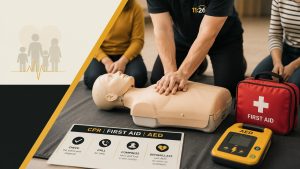
Choose training that practices awareness, verbal de-escalation, boundary setting, escape, ground recovery, and scenario-based decision-making. A class should explain safety rules, accommodate medical limitations, and avoid promising that one technique works against every attacker.
Practice household communication rather than rehearsing confrontation. Establish an out-of-area contact, two meeting locations, a code word, medication and pet arrangements, and a plan for losing mobile service.
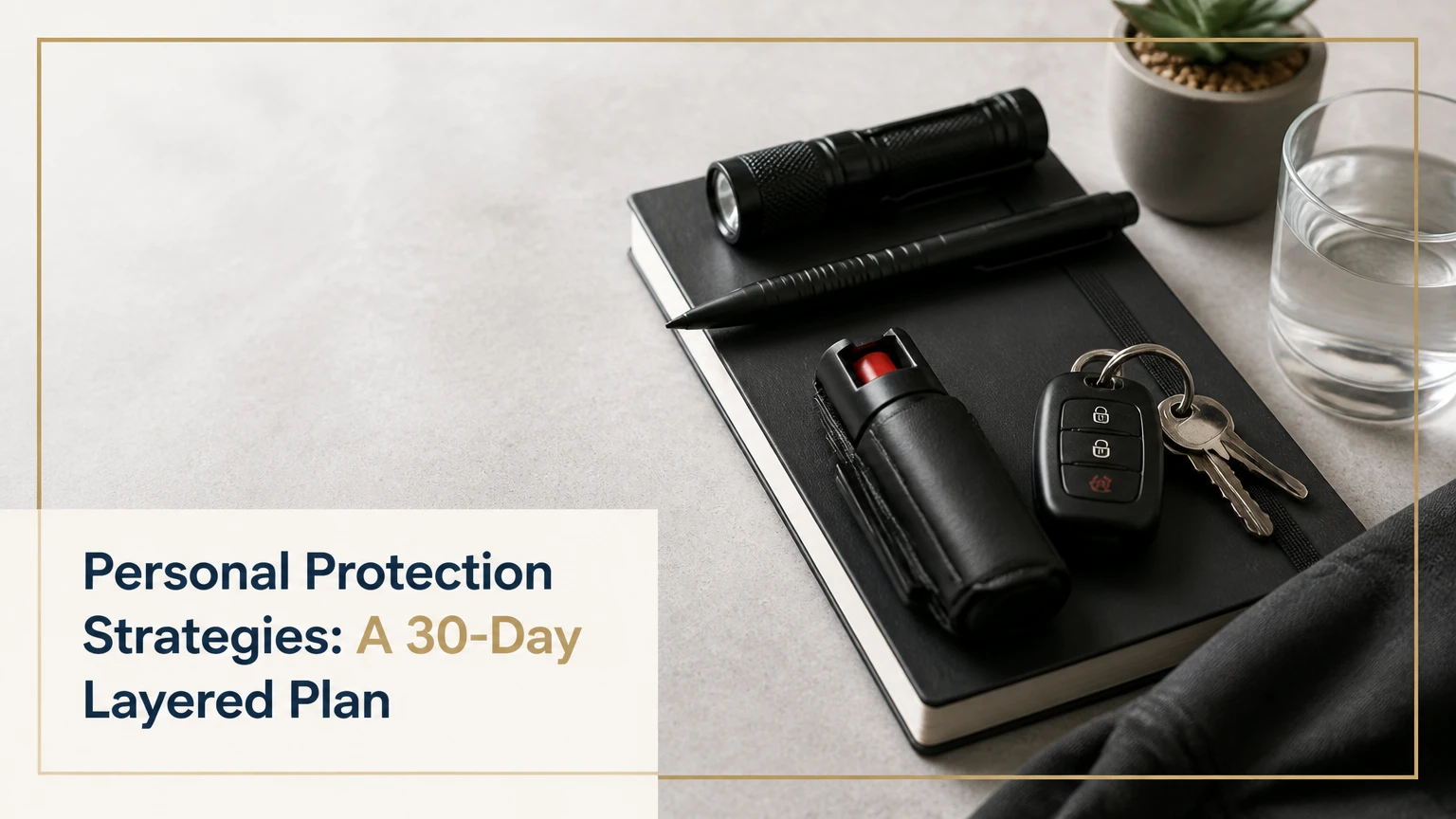
Defensive tools require three checks before purchase: legality, safe storage, and realistic practice. Pepper spray, alarms, knives, firearms, and impact tools differ by jurisdiction, age restrictions, transport rules, prohibited locations, and use-of-force law. A tool that cannot be carried legally or used without endangering bystanders is a poor choice.
Which Digital Controls Reduce the Most Risk?
For most people, the highest-value digital sequence is unique passwords, MFA on the email account, automatic updates, device lock, account alerts, and tested recovery codes. Hardware keys offer strong phishing resistance, while a VPN has a narrower privacy function and should not displace account security.
| Control | Typical cost | Setup time | Primary protection | Important limitation |
|---|---|---|---|---|
| Password manager | $0-$60 per year | 60-120 minutes | Stops password reuse | Recovery access must be planned |
| Authenticator MFA | $0 | 10-20 minutes per account | Reduces stolen-password access | Phishing can still defeat some methods |
| Hardware security key | $25-$75 each | 15-30 minutes per account | Resists many phishing attacks | Keep a registered backup key |
| Automatic updates | $0 | 10 minutes | Patches known flaws | Unsupported devices remain exposed |
| Credit and bank alerts | $0-$5 monthly | 10-20 minutes | Detects unusual transactions | Alerts do not reverse every loss |
| Reputable VPN | $3-$12 monthly | 10-15 minutes | Encrypts selected network traffic | Provider still handles connection data |
The strongest sequence is often boring. Enable protections on the account that can reset every other account, and verify that a lost phone, lost key, or forgotten recovery code will not create permanent lockout.
How Should You Harden a Home or Rental?
Secure doors, windows, lighting, communications, and fire exits as one system. Typical DIY improvements take 1-3 hours for a small apartment and cost $40-$250 before optional cameras or professional monitoring.
| Improvement | Typical price | Typical time | Verification checkpoint |
|---|---|---|---|
| Reinforced strike plate and screws | $20-$80 per door | 30-60 minutes | Screws reach structural framing |
| Window locks or removable bars | $10-$70 per window | 10-30 minutes | Window still opens for escape |
| Motion lighting | $25-$100 per fixture | 30-90 minutes | Entry path is visible without glare |
| Door or window alarm | $15-$50 per sensor | 10-20 minutes | Alert reaches the intended device |
| Camera with local or cloud storage | $40-$200 each | 30-90 minutes | Camera, account, and privacy settings work |
| Professional monitoring | $15-$50 monthly | 1-3 hours setup | Battery and cellular backup are tested |
Security cameras are detection and documentation tools. They are less useful when placed behind glare, aimed at a public area without privacy masking, connected to reused passwords, or left with default firmware.
A camera also cannot identify every person reliably at night, prevent a fire, or replace a trusted human response. Test the complete chain monthly: sensor activation, notification, battery status, recording, internet outage behavior, and contact procedures.
What Does Personal Protection Cost?
A practical starter plan can cost $0-$250 and take two to six hours, while a fuller household program commonly costs $500-$2,000 initially plus recurring monitoring, training, or replacement expenses. Prices vary by country, property type, device ecosystem, professional labor, and legal requirements.
| Plan level | One-time cost | Recurring cost | Typical first-month work |
|---|---|---|---|
| Baseline digital and awareness | $0-$75 | $0-$10 monthly | Password audit, MFA, contacts |
| Renter physical layer | $75-$350 | $0-$25 monthly | Sensors, lighting, window controls |
| Homeowner layered system | $300-$1,500 | $15-$60 monthly | Entry upgrades, cameras, monitoring |
| Training-centered plan | $100-$250 | $80-$220 monthly | Class enrollment and practice |
| Higher-risk professional plan | $500-$5,000 | $100-$2,000 monthly | Assessment and specialist support |
Treat typical figures as planning ranges, not universal quotes. Professional protection for a documented threat, executive travel, or domestic abuse situation requires a qualified local provider and may involve legal, medical, housing, and digital-forensics costs.
Which Layers Matter Most by Situation?
The best personal protection strategy depends on exposure, not on the most expensive product. A commuter usually gains more from attention, communication, route flexibility, and lawful distancing options, while a remote worker facing account compromise should prioritize identity security and device controls.
| Situation | First priority | Useful second layer | Avoid relying on |
|---|---|---|---|
| Urban commuter | Awareness and communication | Legal alarm or OC spray where permitted | Noise-canceling headphones in transitions |
| Remote worker | Email MFA and updates | Privacy screen and secure router | VPN as a substitute for MFA |
| Renter | Door, window, and fire controls | Property-manager coordination | Permanent alterations without approval |
| Family household | Code word and meeting points | Sensors and medication plan | A plan known only to one adult |
| Older adult | Lighting, mobility, and emergency access | Medical alert or trusted check-in | Complex systems without practice |
| Public-facing worker | Threat documentation and workplace escalation | Privacy and address minimization | Confronting a persistent harasser alone |
For Commuters and Travelers
Keep identification, emergency contacts, medication, and transportation alternatives accessible. Share a destination and expected arrival time with a trusted person when risk or isolation warrants it, and avoid public posts that reveal a real-time location.
Travelers should verify hotel room privacy, use the deadbolt, avoid displaying room numbers, protect passports, and keep an offline copy of essential documents. A hotel safe reduces casual access but does not eliminate theft risk or guarantee insurance coverage.
For Stalking or Harassment Risks
Stalking changes the priority order. Preserve messages, dates, locations, vehicle details, and witness names; review location sharing, shared cloud accounts, smart-home access, and device-management profiles; and seek a local domestic violence or victim-support organization before making abrupt changes that could escalate monitoring.
Do not publicly announce every safety adjustment. A qualified advocate can help create a technology-safety plan that accounts for shared finances, children, housing, and the possibility that a controlling person monitors accounts or devices.
What Common Failures Weaken Protection?
Most protection failures come from gaps between layers, not from the absence of a premium device. People buy equipment without checking legality, forget recovery codes, ignore alerts, create false confidence from cameras, and design plans that depend on one person being available.
- Tool-first planning: Fix by identifying the highest-impact risk before purchasing equipment.
- Unverified legal assumptions: Check current statutes, local ordinances, transport rules, prohibited locations, and use-of-force standards.
- False alarm fatigue: Reduce unnecessary notifications, assign a response owner, and test whether alerts contain actionable information.
- Blocked exits: Keep doors and windows usable during fire or medical emergencies, and obtain qualified advice before adding bars or locks.
- Single-person dependency: Give at least two trusted adults the emergency plan and keep an offline copy.
- Unmaintained technology: Schedule monthly tests, firmware updates, battery checks, and annual replacement reviews.
- Overconfident training: Choose instructors who teach avoidance and escape, and stop training that encourages unsafe escalation.
- Routine oversharing: Remove home addresses, children’s schedules, travel dates, and expensive purchases from public profiles.
A useful practitioner rule is to test a control under failure conditions. Disconnect the internet, lose the phone, drain the battery, forget the password, or ask another household member to follow the plan. A protection measure that works only in ideal conditions has limited protective value.
A 30-Day Implementation Checklist
Use the following order when time and money are limited:
- Day 1: Write emergency contacts, medical information, meeting points, and local emergency numbers.
- Day 2: Identify the email account with the greatest recovery authority.
- Day 3: Replace reused passwords and save recovery codes offline.
- Days 4-7: Activate MFA, automatic updates, transaction alerts, and device locks.
- Week 2: Inspect doors, windows, lighting, smoke alarms, and exit paths.
- Week 3: Add the highest-value physical control, then test notifications and batteries.
- Week 4: Practice a household evacuation, communication loss, and safe-arrival scenario.
- Day 30: Review what failed, what created inconvenience, and what needs professional advice.
Record dates, model numbers, warranties, account recovery methods, and replacement intervals in a secure inventory. The inventory should not contain plaintext passwords or sensitive access codes.
Frequently Asked Questions
Are personal protection strategies only for dangerous neighborhoods?
No. Personal protection strategies address varied risks, including account takeover, fire, medical emergencies, stalking, transportation hazards, and property loss. Location affects probability, but personal exposure, work schedule, household needs, online visibility, and known threats often matter more than a neighborhood label.
Is pepper spray the best personal defense tool?
Pepper spray can create distance for some users, but it is not universally best. Wind, enclosed spaces, cross-contamination, legal restrictions, expiration, storage, and stress performance affect its usefulness. Awareness, escape, communication, and training remain necessary, and local law should be checked before purchase or carrying.
How often should a home security system be tested?
Test alarms, sensors, camera notifications, backup batteries, and contact procedures at least monthly. Review firmware, user permissions, and emergency contacts quarterly. Replace batteries and equipment according to manufacturer instructions, because a notification that never reaches a monitored phone provides no dependable detection.
Does a VPN protect all online privacy?
No. A VPN generally encrypts traffic between a device and the VPN service, but it does not prevent phishing, malware, weak account security, browser fingerprinting, or data collection by signed-in services. Password uniqueness, MFA, software updates, and careful permissions usually deserve priority.
What should renters do first?
Renters should first confirm that doors and windows lock correctly, exits remain clear, smoke alarms work, and property management has current emergency contact information. Removable sensors, interior lighting, privacy controls, and a documented response plan can improve protection without permanent construction or lease violations.
What is the most important household security habit?
The most important habit is practicing a simple communication and evacuation plan. Every household member should know whom to contact, where to meet, how to report location, and what to do if phones, power, transportation, or the primary exit fails.
The Bottom Line
Personal protection strategies work best as a maintained system rather than a single purchase. Start with risk assessment, account security, emergency communication, safe exits, and practical awareness; then add physical hardening, detection, lawful tools, and scenario-based training according to the threats you actually face. Review the plan monthly and update it after changes in residence, work, health, relationships, or technology.